2016/04/04 (Monday)
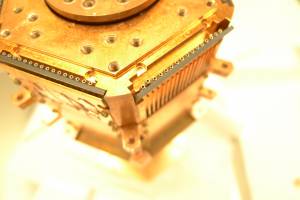
| 1430 | Enter clean room and remove adapter plate from tower in preparation of using epoxy to reseat loose socket on Face 3. Detach face plate of 4K stage on Face 3 as shown in below image. |
|---|
 |
| 1500 | Mix Stycast 2850 Black Epoxy outside clean room, and use small dab of it to practice adhering single mill-max pins to sample PCB for low-temperature testing tomorrow. |
|---|---|
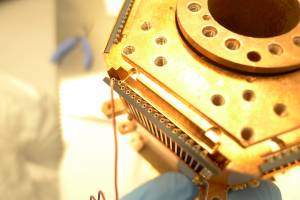
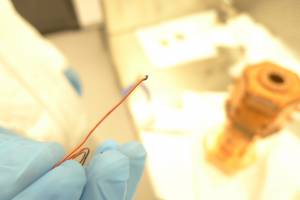
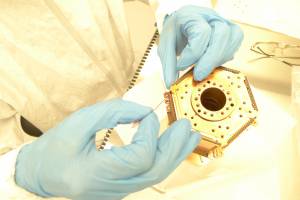
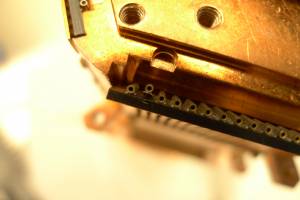
| 1505 | Place mixed epoxy in anteroom of cleanroom, and bring in small wire for applying the epoxy to the tower as shown in below images. |
 |  |
 |  |
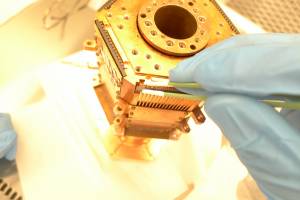
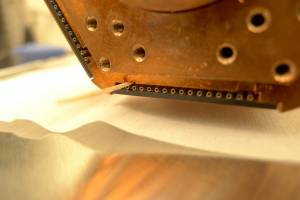
| 1510 | Use tweezers wrapped in Teflon tape to squeeze the socket to the PCB. Screw face plate back onto tower 4K stage, and wedge a piece of cotton swab wooden handle between the socket and the faceplate to further compress the socket into place. See images below: |
|---|
 |  |
| 1515 | Leave tower in clean room overnight to dry. In the morning we will perform LN2 tests on the spare epoxied sockets and PCB before inspecting the Tower for looseness and shorts. |
|---|