The general set-up for the automation of the IBIS currently starts with collecting general IBIS data at a variety of currents. The data is then plotted in the form of a histogram. In the most recent run, the different histogram shapes are shown in figures 1, 2, and 3.
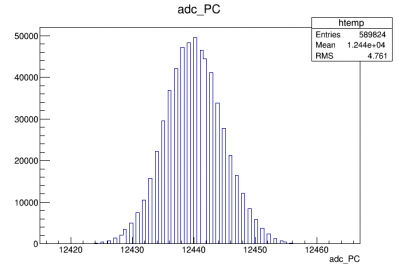 |
| Figure 1: Example of a “normal” constant IBIS curve in either the normal or superconducting phase of the TES. |
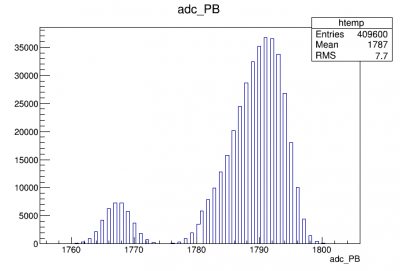 |
| Figure 2: Example double peaked Gaussian run. This run (to be referenced later) is caused by a swapping between two currents which seemed to occur near the end of this data cycle. Best guess is this has something to with the DAQ. |
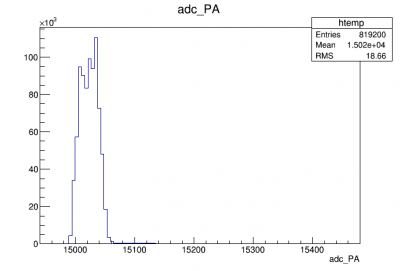 |
| Figure 3: Example run for a current in transition range. The odd shape of the Gaussian is due to event pulses. |
These figures were further evaluated through a “time dependent” test which showed how the signal evolved in time. The following figures show a dual-peak run and a pulse during transition.
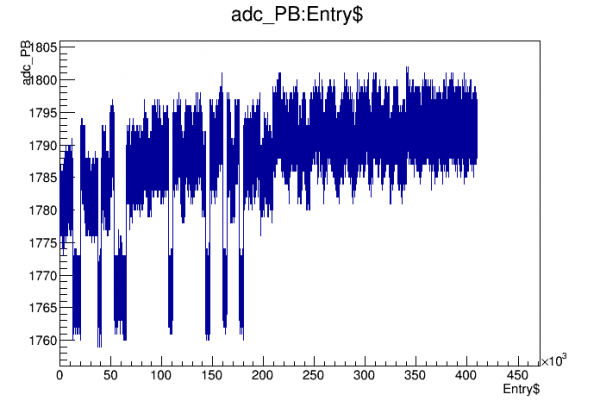 | 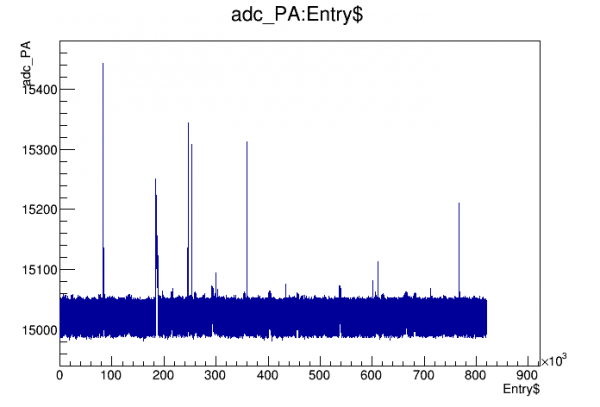 |
| Figure 4: The time dependent test plots to further evaluate the results. The first is a n example of dual peaked run and the second is an example of a pulse in transition. | |
Finally, the data for the runs from each current series were taken as a histogram and made into a 2D “heat plot” where the hot spots correspond to the highest number of events. The results are shown in the following figures.
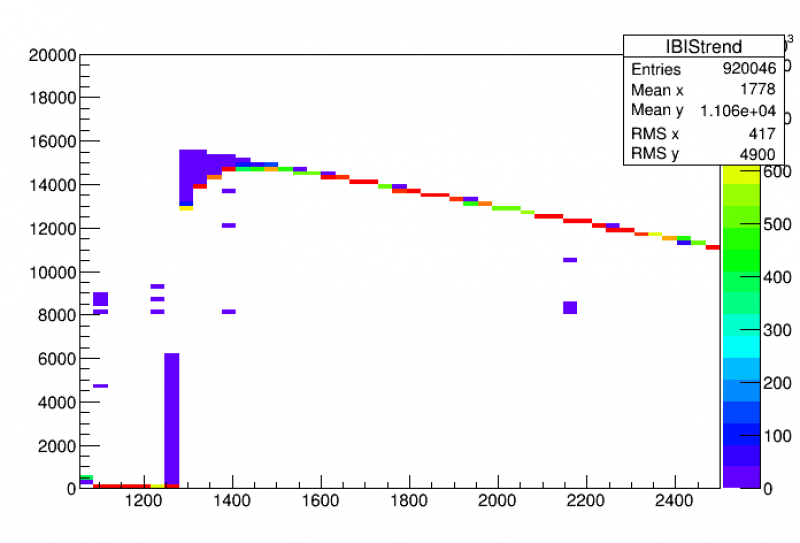 |
| Figure 5: The full trend plot of an IBIS curve taking in the Gaussians from each individually measured current. |
The next step will be to write to separate codes, one to process the original raw data in readable files to be turned into root files, and one to extract the correct IBIS values at each point. The first, implemented in the bash.rc is something that I currently have an example code for but I'm struggling to get it functions as I would expect (it looks in wrong directories, doesn't see the files, or creates incorrect files).
To extract the IBIS values at each point my current running idea is to take the “hottest” regions of these heat plots and counting those as the average IBIS values. There could be some issue with this such as in the transition stage where the guassian is spread out further or during points were double currents peaks are appearing. I will have to look into both of these further once we can run another round or so of IBIS measurements.
followup #1
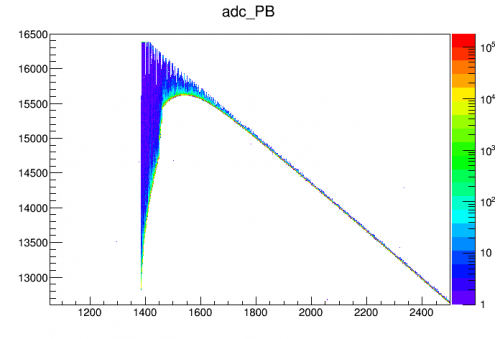
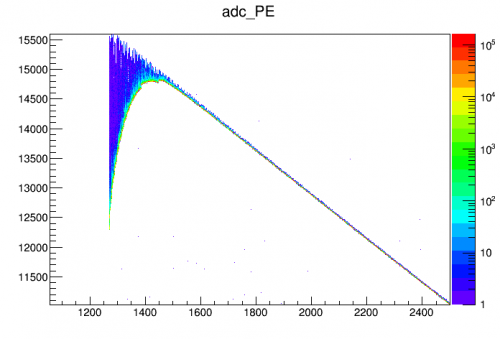
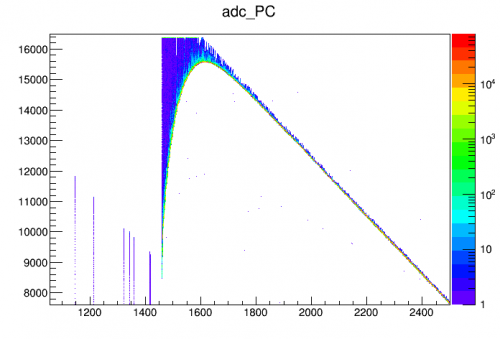
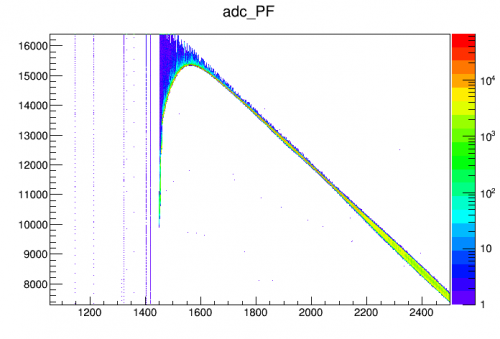
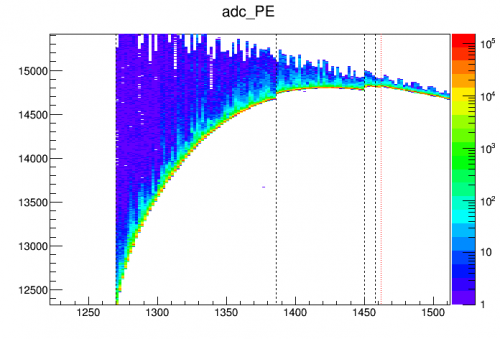
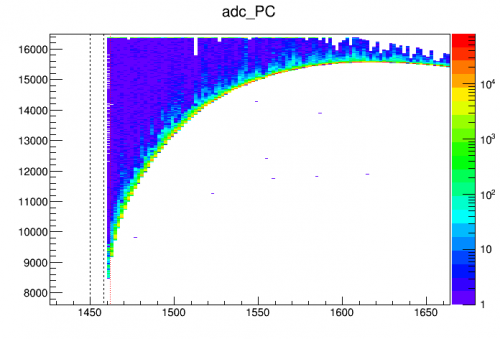
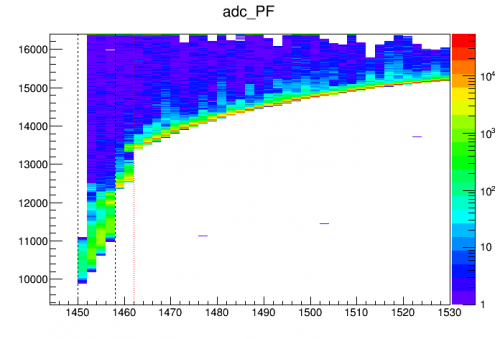
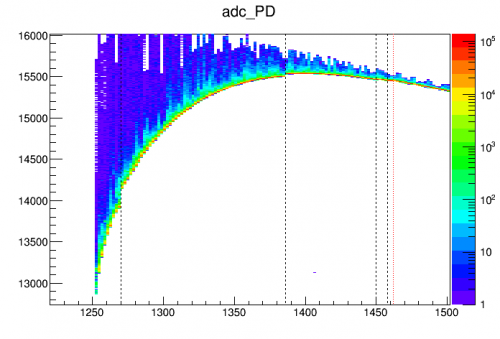
The plots below show the IbIs trend plots in more detail:
 |  |
 |  |
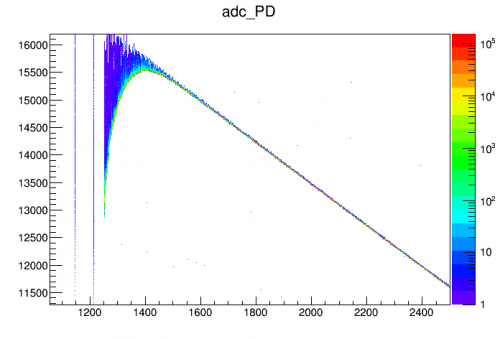 |
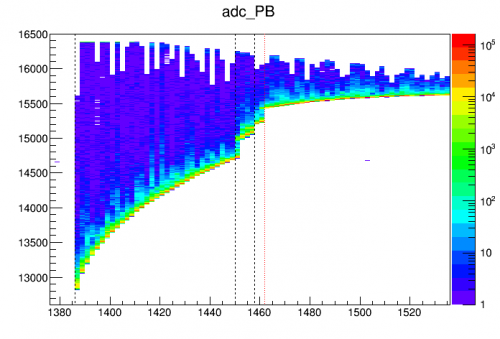
There are “kinks” in the transition parts of the curves in most of the channels, points at which the baseline suddenly dropped as the current was being decreased. Close inspection indicates that when one channel falls into superconducting, other channels react with an apparent decrease in parasitic power - apparently heat from the adjacent biased channel suddenly disappearing. At 145.8 uA, pC goes superconducting, and kinks are seen in pB and pF (other channels are in the normal regime so are not sensitive). At 145.0 uA pF goes superconducting and kinks are seen in pE and pB. At 138.6 uA, pB goes superconducting and kinks are seen in pD and pE. At 127.0 uA pE goes s/c and a kink is seen in pD. There are also kinks in pB and pF at 146.2 uA - maybe this is when pA went superconducting.
There's a double line in pF at high currents. This turns out to be ~160 kHz noise in that channel.
The plots below show as vertical lines the points at which the various channels went superconducting and that they coincide with kinks in the IbIs curves, particularly noticeable in the more sensitive transition region. (The red line is the hypothetical pA superconducting falloff.)
 |  |
 |  |
 |
The above plots make it clear, for this detector at least (S101, the Si HV prototype), that the IbIs curves are affected by whether a neighboring channel is biased versus superconducting. The evidence is consistent with the assumption that a biased TES transmits some parasitic power to neighboring TESs.
First algorithm to calculate IbIs curve
A first algorithm to extract IbIs curves from the data is the following:
For each channel, at each current setting:
- remove the early part of the data (for example, 3 seconds, corresponding to (3 sec)*(20 Hz)*(4096 samples/trace) = 245760 samples). This avoids the “shifting” part of the data seen above and allows the current setting to settle.
- Divide the remaining sequential samples into windows (for example 256 samples wide = 205 μs) and find the average value for each window. The smallest window average is taken to be the baseline.
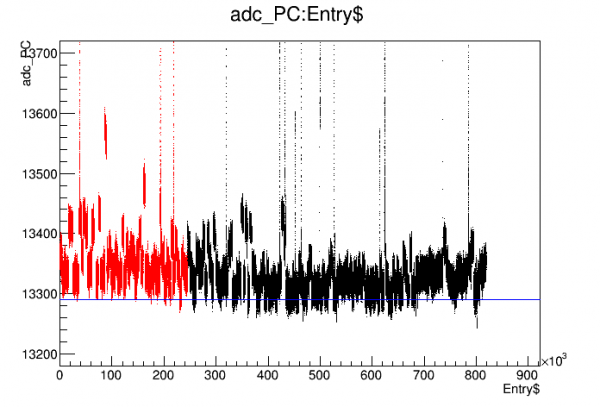 | 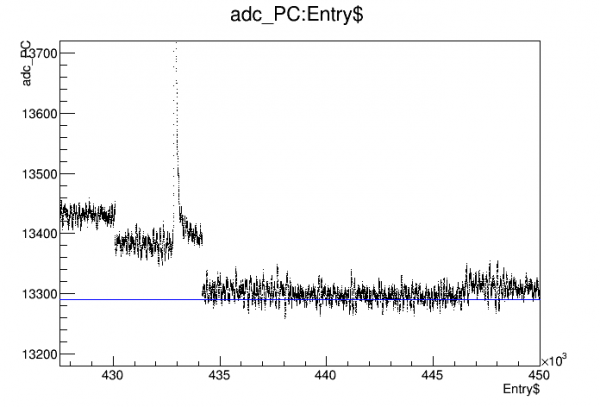 |
| Example result from fit algorithm. Pulses and traces on long tails are automatically rejected. Averaging over 256 samples eliminates effect of high-frequency noise. | |
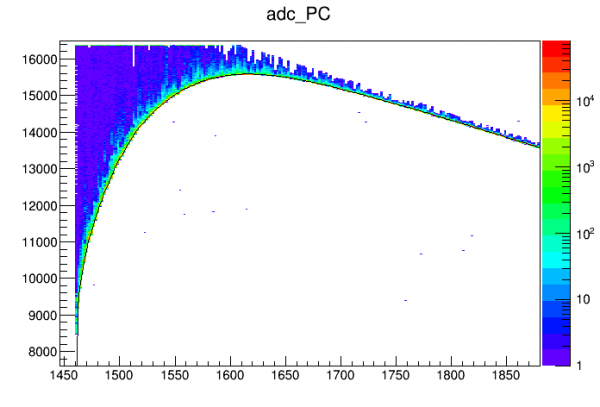 |
| Example of calculated IbIs curve (in black) using this algorithm |
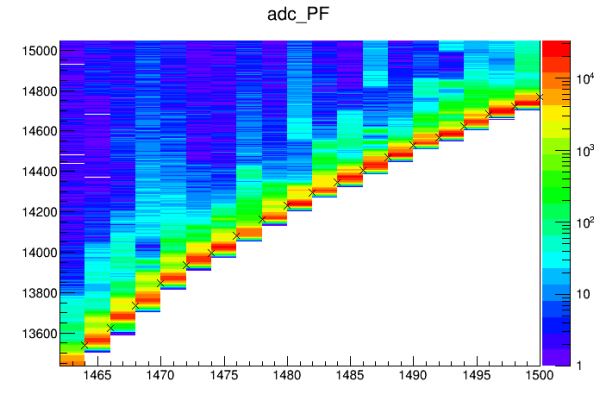 |
| Zoom of fit points and distributions (the color column corresponds to the fit point on its left edge). The algorithm chooses a value near the bottom of the peak of the distribution. |
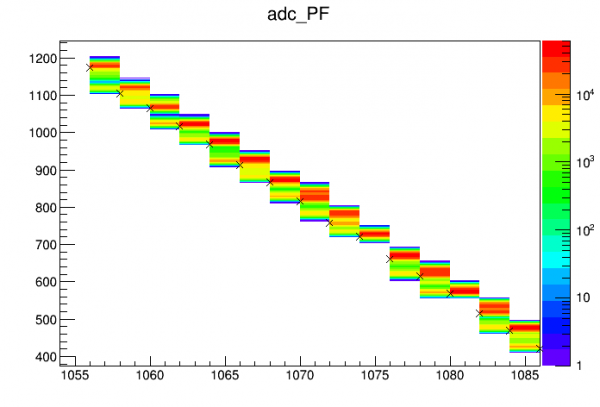 |
| Zoom of fit points in superconducting part of curve. Here it is most evident that cutting out the early part of the data is important. There is a smaller, lower peak in each distribution but this is from the first few seconds so it is cut out, and the algorithm chooses the higher peak. It is clear from this figure that during the downward scan in Ib the lower, earlier peak corresponds to the previous current setting, before it settles. |
 |
| Zoom of the normal part of the IbIs curve for pF. Here there is actually a double-peak structure in the distributions causes by high-frequency sinusoidal noise. The averaging in the algorithm results in it choosing the center value. |