−Table of Contents
Updated Muon Telescope Procedure
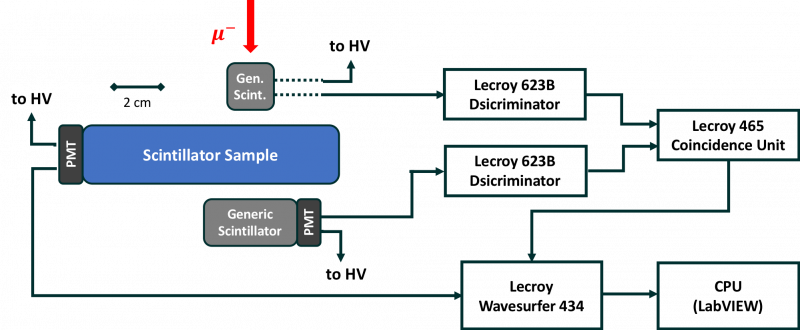
The muon telescope is composed of a top, middle, and bottom scintillators. The top and bottom scintillators form a coincidence trigger to indicate when a muon has passed through the middle scintillator (the sample being tested).
Wrapping and coupling samples
| Optical grease |
|---|
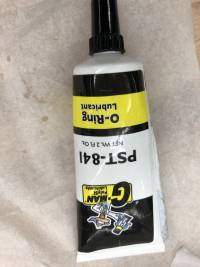 |
To form the top and the bottom scintillator paddles, generic scintillator of dimensions 2cm x 2cm x 4cm is coupled to a 1 inch PMT using optical grease (shown above). Don't use too much optical grease.
- Remove any old optical grease using methanol and Kim Wipes. Dry using Kim Wipes.
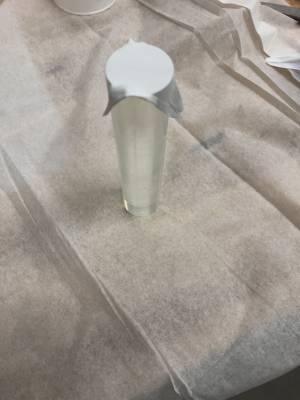
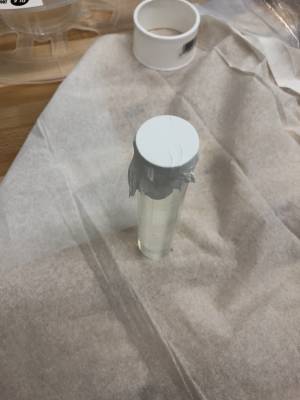
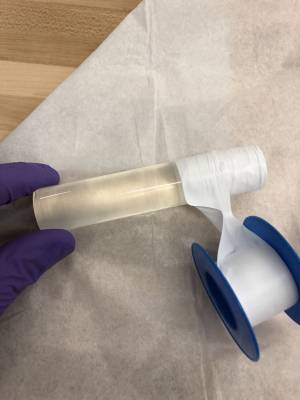
- Using PTFE tape (can be bought at chemistry stores), make a “cap” for the end of the scintillator sample that will not be coupled to the PMT.
- Wrap the outside of the scintillator (at least 3 layers) with PTFE tape.
- Cover the face of the PMT with a light layer of optical grease. Press the sample firmly against the face of the PMT and twist so as to remove any air bubble and ensure the coupling to the PMT is strong.
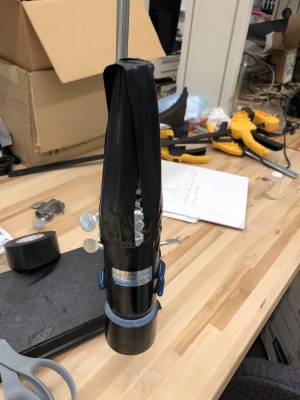
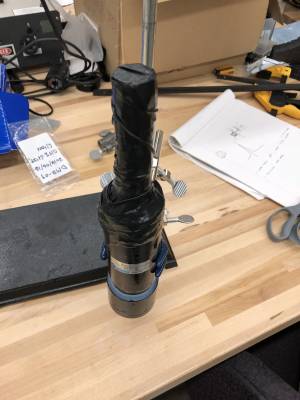
- Cover the exterior of the sample and the PMT with aluminum foil to prevent external light from entering the PMT. Secure the foil in place using black electrical tape. Make sure the sample is firmly attached to the PMT and the shape of the sample is well defined.
Using the same procedure as above, wrap and couple the scintillator being tested to the middle PMT.
 |  |  |
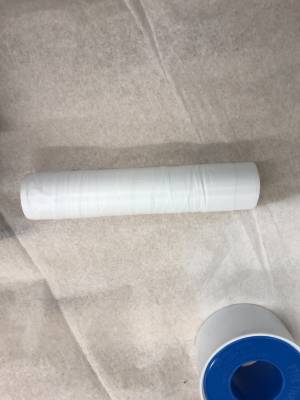 | 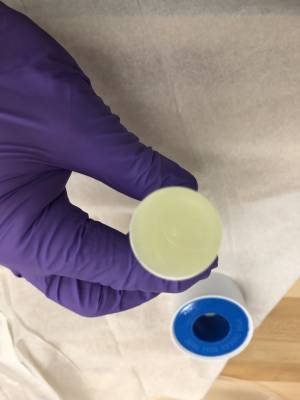 | 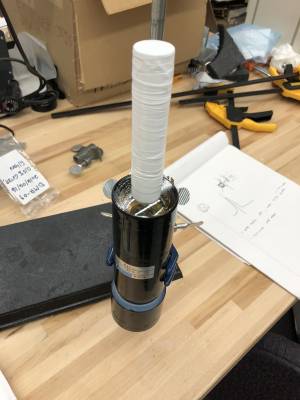 |
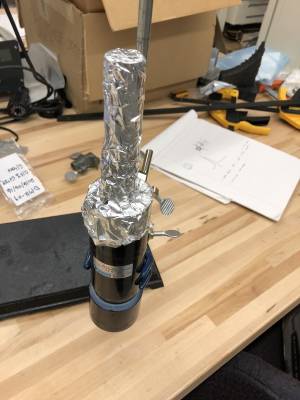 |  |  |
Experimental Setup
| Experimental setup | ||
|---|---|---|
 |
||
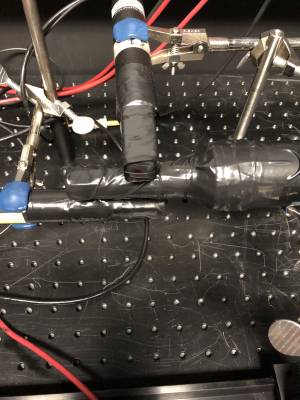 | 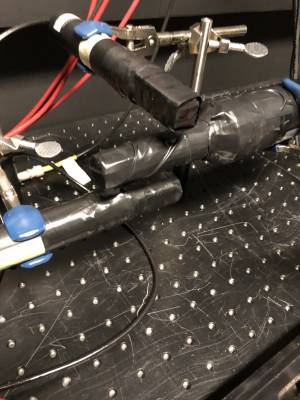 | 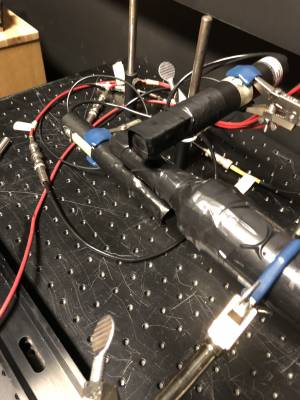 |
- Connect the HV lines of the Top and Bottom PMTs to the respective power supplies. These must be negative HV sources connected using red HV cables. Typical biases for this are -1000V to -1100V.
- Connect the HV line of the Middle PMT to the middle PMT power supply. Again this must be a negative HV bias. For all measurements, the Hamamatsu R1332 2 inch PMT was used as the middle PMT. Typical biases for this PMT are -1600V to -2000V. Most measurements were done at -1800V.
- Connect the signal cables according to the diagram shown above.
- Make sure all voltage knobs are turned to 0V and HV is set to OFF. Turn the crate on. Turn all desired power supplies on. Toggle the TRIP HOLD switch for each unit so that a red light next to HV ON is lit. The switches should be set to TRIP HOLD always. To measure the bias applied to the PMTs, connect one end of a LEMO cable to the “HIGH VOLTAGE MONITOR” of the power supply and the other end to a voltmeter. Note that 1V on the multimeter corresponds to 1kV on the power supply. Slowly turn the bias knob on the power supply to set the desired bias. If this is done too fast, it can damage the PMT.
- Discriminator Unit: A good threshold is around -30 to -50 mV. This can be measured by using a voltmeter with one probe touching the metal bit inside the white ring and the other grounded on some metal on the face of the coincidence unit. The threshold can be adjusted using the screw next to “T”. The width of the coincidence unit logic signal (“W”) should be set from about 20 to 40 nsec.
- Coincidence Unit: A good width for the logic output is 20 nsec. The unit looks for a coincidence between the channels that are depressed so for this, depress A and B.
- Lecroy oscilloscope:
- Typical settings:
- Delay = 40 nsec
- 20 nsec/div
- 1.0 GS/s
- Trigger = normal or single
- Connect Top PMT signal cable via a “T” connector to Channel 1.
- Coupling = DC1MOhm
- 200 mV/div
- Connect Bottom PMT signal cable via a “T” connector to Channel 2.
- Coupling = DC1MOhm
- 200 mV/div
- Connect Middle signal cable directly to Ch. 3.
- Coupling = DC50Ohm
- 1 V/div
- 3 V offset
- Connect the output of the coincidence unit (OUT) to Ch. 4 of the scope directly.
- 500 mV/div
- Play with the voltage scale for Ch. 1-3 so that it is as small as possible but that you still see all of the triggers that happen. This will take time and practice.
- Trigger Settings: Ch. 4, negative slope, -500 mV threshold.
Data Collection
One Channel
To collect data use the “Lecroy Loop Acquire Single Channel” LabVIEW program found on the Desktop to record one channel at a time. Set the “Desired Trigger Count” field to either the desired number or a very large number. Set the “Timeout” field to a very very large number. Set the “Source” field to the channel you want to record (in this case Ch. 3). Set the “Scope Display” field to Disable Display. Turn “Waveform Graph” to ON.
Now, press run (white arrow in upper left). Set the data file name (without .dat at the end) To stop the run, press the stop button on the program. It requires 2 more triggers from the scope before it will stop. Either, you can wait for 2 more triggers to happen naturally, or you can press single twice.
Four Channel
Use “Lecroy Loop Acquire Four Channels” program found on Desktop. Use similar settings as above. NOTE: here, Ch. 1 on the scope corresponds to Ch. 0 in the data file. Ch. 2 on scope = Ch. 1 in data file. etc.