−Table of Contents
Monochromator Procedure
A few notes before starting. Do not adjust the output slit width of the monochromator. It has been set to ??? on the dial. Make sure the focused dot that comes out of the monochromator output lens is focused on the active area of the photodiode. This takes practice, but must be done very precisely. The monochromator program does not account for the grating efficiency of the Newport 74021 grating. This is not an issue for quantum efficiency measurements, but it is an issue for spectra of samples. As of writing this post, we have not identified how to fix this issue. The best way would be to purchase a white light source with a known spectrum and determine the grating efficiency experimentally.
Experimental Setup for Taking Spectra
| Spectra of samples, LEDs, etc. |
|---|
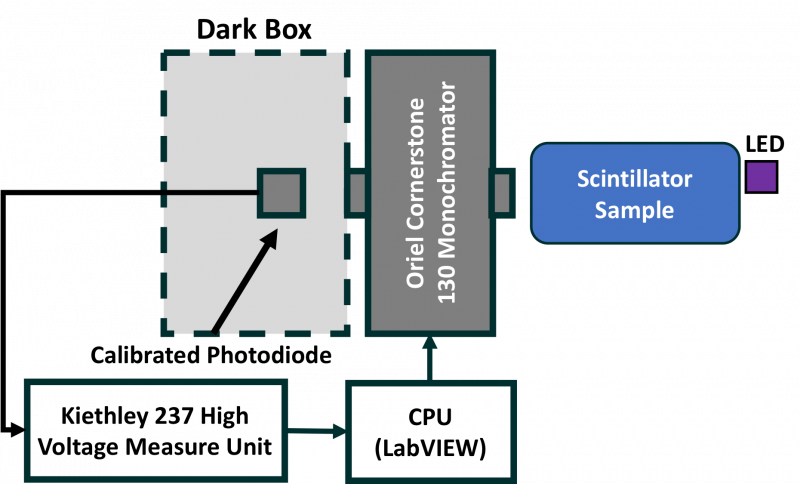 |
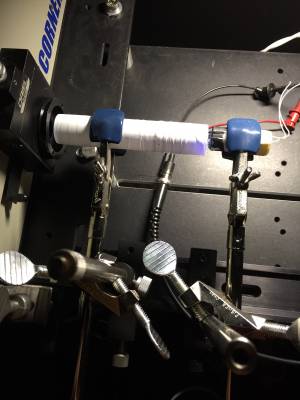
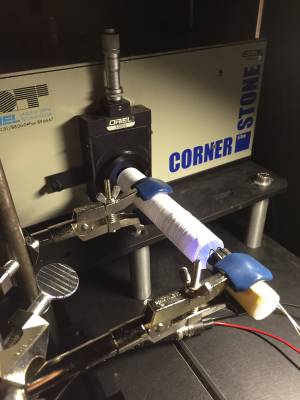
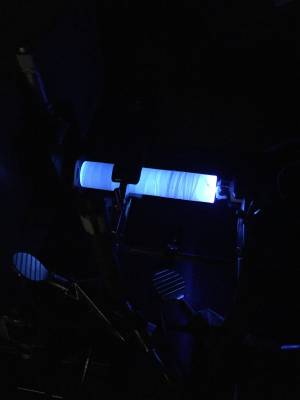
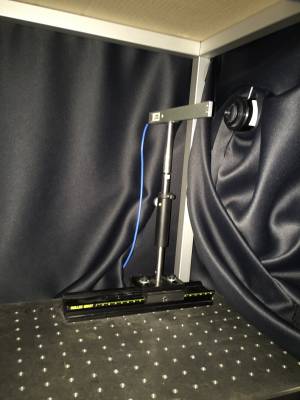
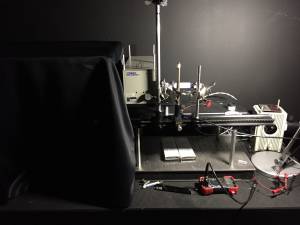
Place the photodiode inside the dark box and align so that the output of the monochromator is focused on the active area. Make sure the attenuator is off. Align the sample with the input slit of the monochromator. I usually have the sample about 1cm away from the face of the input slit. Make sure this is done with great precision otherwise comparisons of power measured for a series of samples cannot be compared. Use the Surface mount UV LED mounted on the plastic cylinder. The wire colored black at the end is the ground.
Other LEDs can be powered using a DC power supply (Kikusui PAB 18-3A), but this LED requires pulsed input so it doesn't overhead. The Agilent 81101A Pulse Generator or the DNC 8010 Pulse Generator can be used to supply a bias. I typically use a frequency of 1 MHz (i.e. period of 1 microsec) and a width of 0.5 microsec.
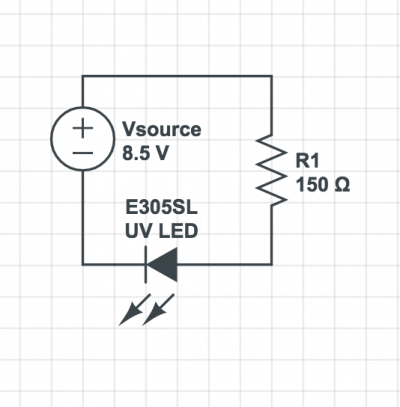
When sourcing a bias to the LED, whether it is with a pulse generator or DC supply, there MUST be a resistor in series with the LED so the current doesn't jump too quickly which can damage the LED. I usually use a 150 Ohm resistor. This is shown below.
 |
||
 |  |  |
 |  | |
Place the LED flush with the rear of the sample.
After turning on the Kiethley 237 unit, let it warm up for about 10 minutes.
To set the monochromator to one wavelength and control the shutter, use the “shutter_control” program on the Desktop.
To measure spectra, use the “GoTo Wavelength Loop-Step 74000 + 237 10.vi” program on the Desktop. Change the “Loop Start”, “Loop End”, and “Step” fields to desired parameters. Change the “Dir Path” and “Filename Format” to the desired values. Make sure “Reference Sensor” is set to “Newport 818-ST2-UV Minus Attenuator.” Hit run (white arrow in upper left) to start scan.
Ensure that the monochromator is turned off and then back on again after every run otherwise your results will be inconsistent.
White light source
The white light source in the Oriel housing in the dark room uses a Osram 64625 hlx 100W 12V bulb. Slowly ramp up the bias voltage using the Oriel ???? power supply until the desired brightness is reached.
LEDs in drawer in dark room
| Table 1: LEDs | ||||
|---|---|---|---|---|
| LED | Peak Wavelength (nm) | Typical Voltage (V) | Typical Current (mA) | Data Sheet |
| Surface mount UV (mounted on poly cylinder) | 310 | 5.5 | 20 | uv-led-sl-datasheet-web.pdf |
| UV | 377 | |||
| Blue | 468 | 3.5 | 20 | Everlight-05-14-2018-DLE-0009557-_MV57640_V1-1365795.pdf |
| Red | 660 | |||
| Yellow | 590 | |||
| Green | 568 | |||
The longer pin is typically the positive pin while the shorter is typically the ground. Build the resistor circuit however you want, I usually use alligator clips to connect everything, along with BNCs.